
Account Security
Account Security
Updated March 31, 2026
Overview
Account and authentication security is a top priority for Remmy, this is why all Remmy accounts come with the ability to configure and enforce MFA.
Setting up MFA
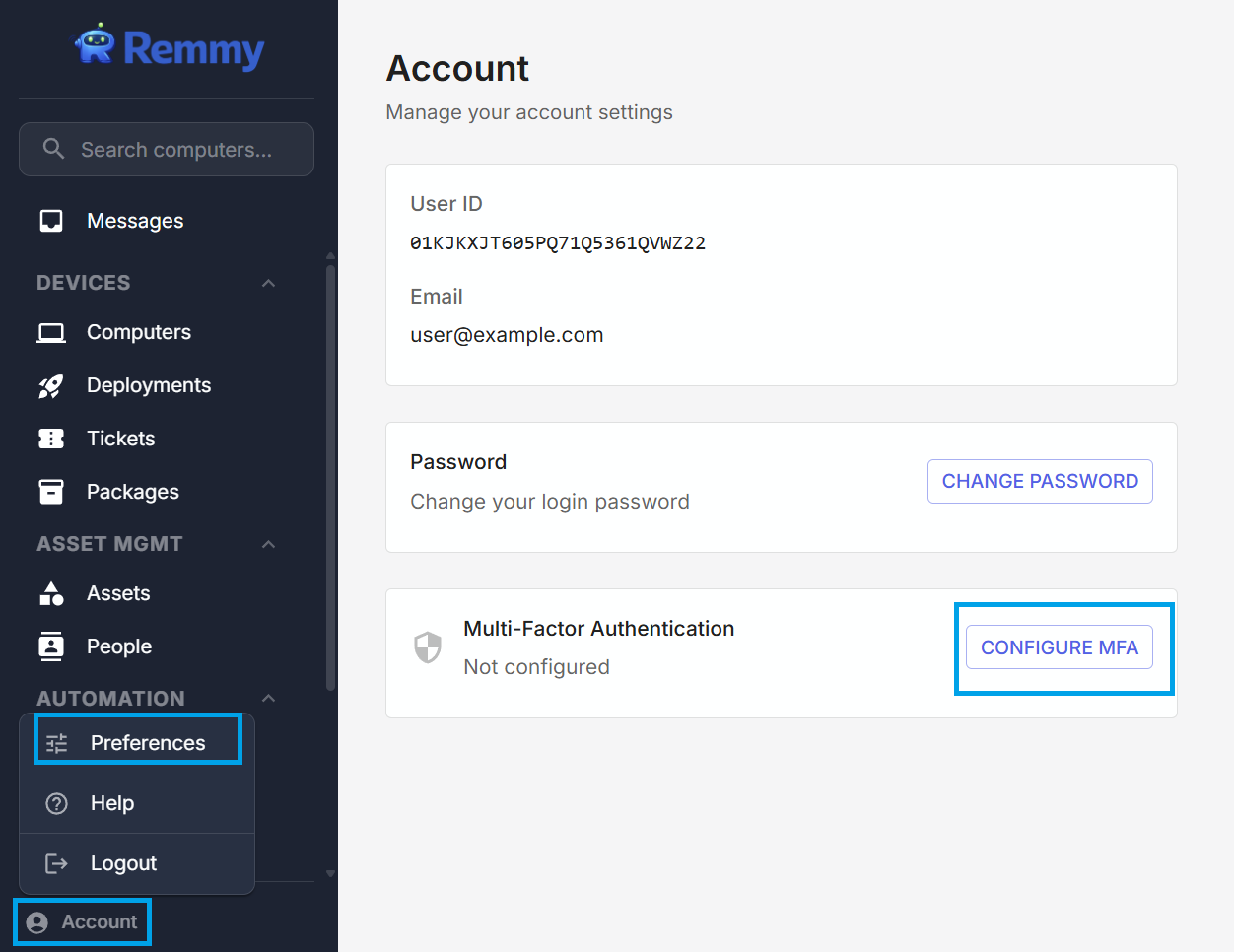
Sysadmins can configure MFA for their account. To configure MFA, a user clicks the Account menu item at the bottom of the left side main navigation, and selects "Preferences". To configure MFA, a user clicks the "CONFIGURE MFA" button.
Requiring MFA
Administrative users can enforce MFA compliance across all users. To do this, an administrative user goes to Settings, and then enable "Enforce MFA". All users will be required to complete MFA, otherwise they will lose access to Remmy. Administrative users can monitor who has successfully setup MFA from the Users page in settings.