User permissions
User permissions
Updated March 12, 2026
Overview
Permissions make it possible to restrict the use of certain features or capabilities to specific users. With permissions, administrative users can restrict access to specific objects, such as scripts or triggers, or restrict certain actions like deploying a package, or initiating remote desktop sessions.
Managing permissions
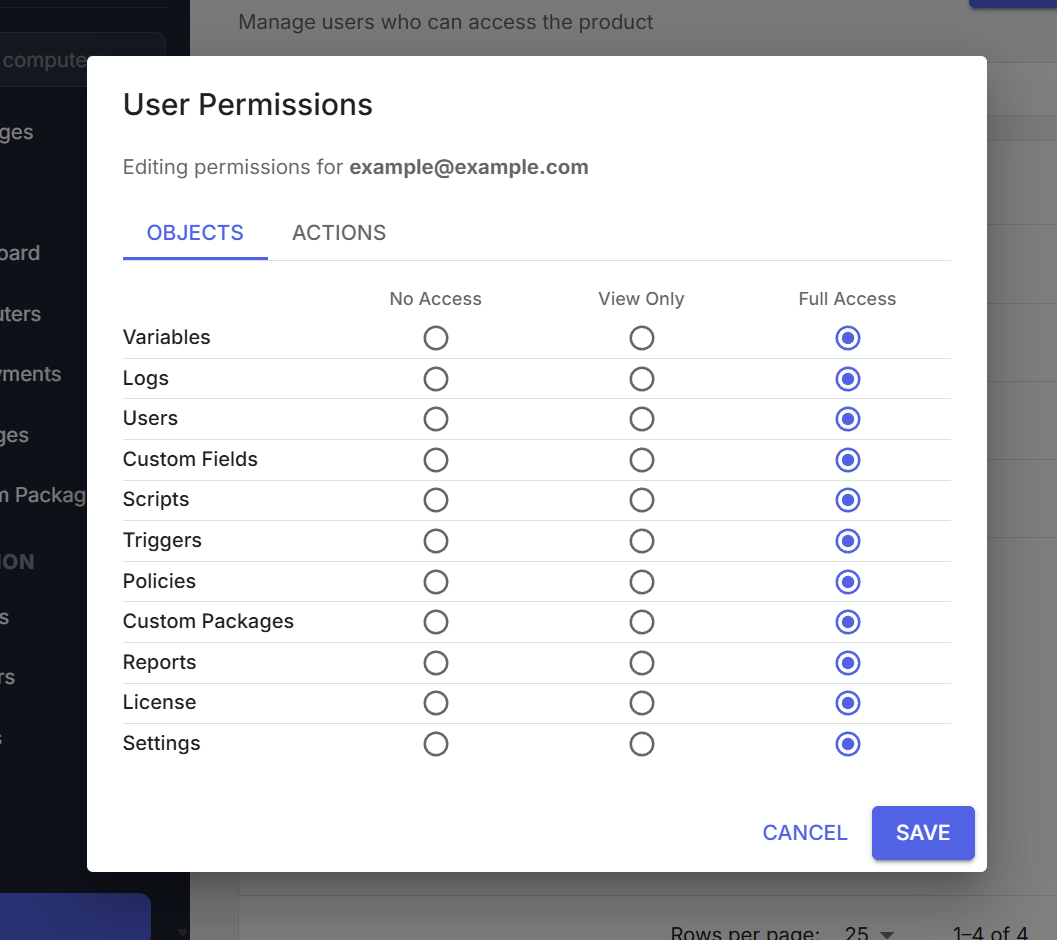
Administrative users can set permissions on individual users from the users page. While on the list of users, click the vertical action dots and select "Edit Permissions". Within the user permissions page, administrative users can set access to specific objects, or certain actions.
Object permissions
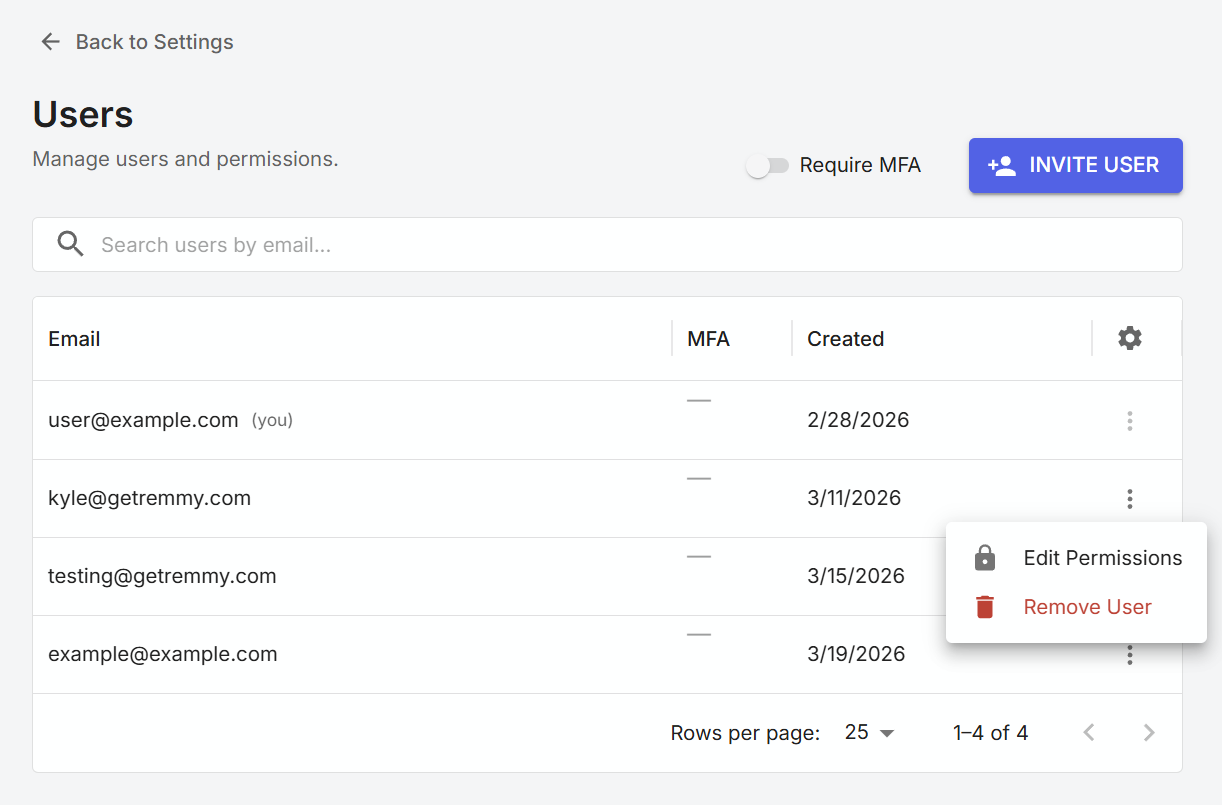
Object permissions grant access to manage and configure certain objects. There are three levels of access for objects - No Access, View Only, or Full Access.
| Permission Level | Restrictions |
|---|---|
| No Access | The user cannot see this object in the sidebar or in sub-pages. |
| View Only | The user can see the object, but cannot create, edit, or delete items in this object. |
| Full Access | The user can see the object, and has full access to create, edit, and delete items in this object. |
Action permissions
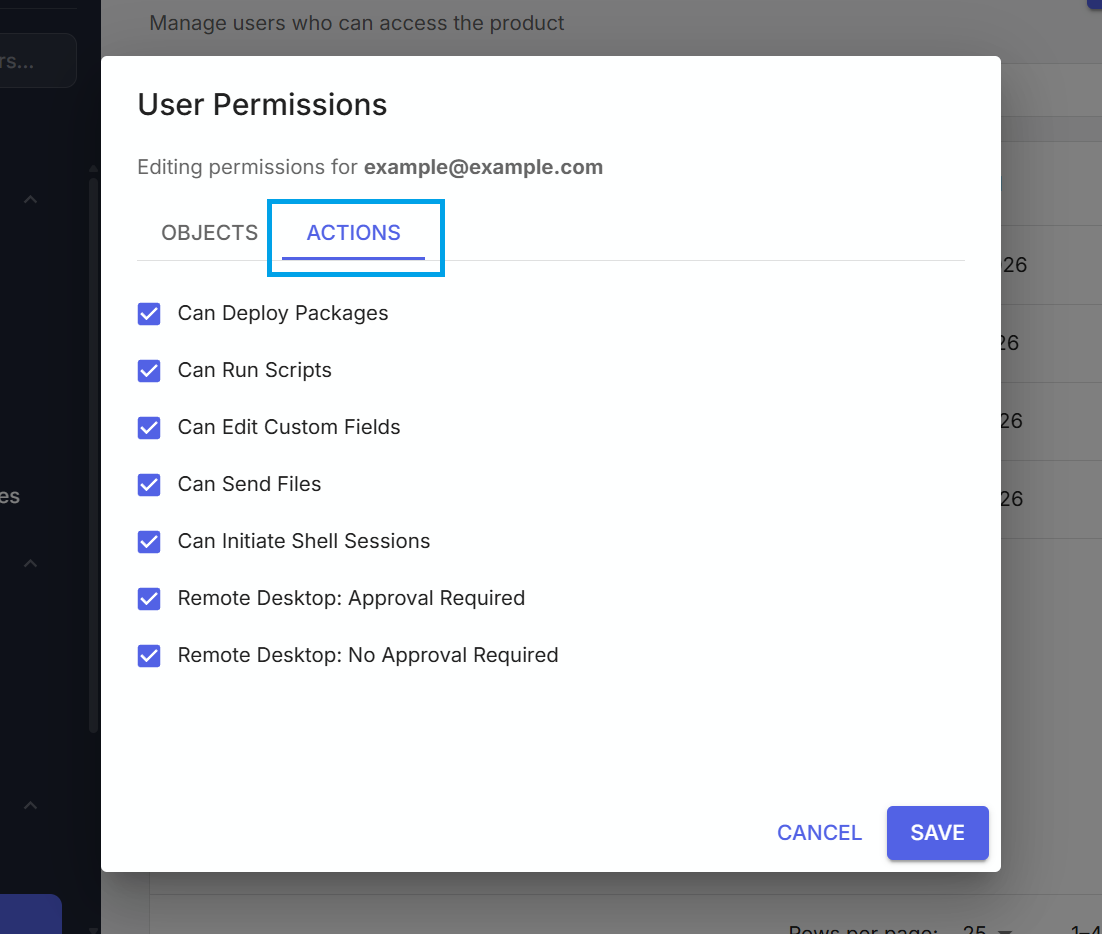
Action permissions are used to restrict a user from performing certain actions through Remmy. For example, if an organization does not want a specific user to be able to edit custom fields, they can remove the permission for that action. Similarly, if they wanted to restrict a user from running scripts, they can remove that action permission from a user.