Managing People
Managing People
Updated March 31, 2026
Overview
People represent the contacts and end-users across your organization. They are the individuals who use the devices and assets you manage - employees, contractors, or anyone you need to track equipment assignments for.
Managing people
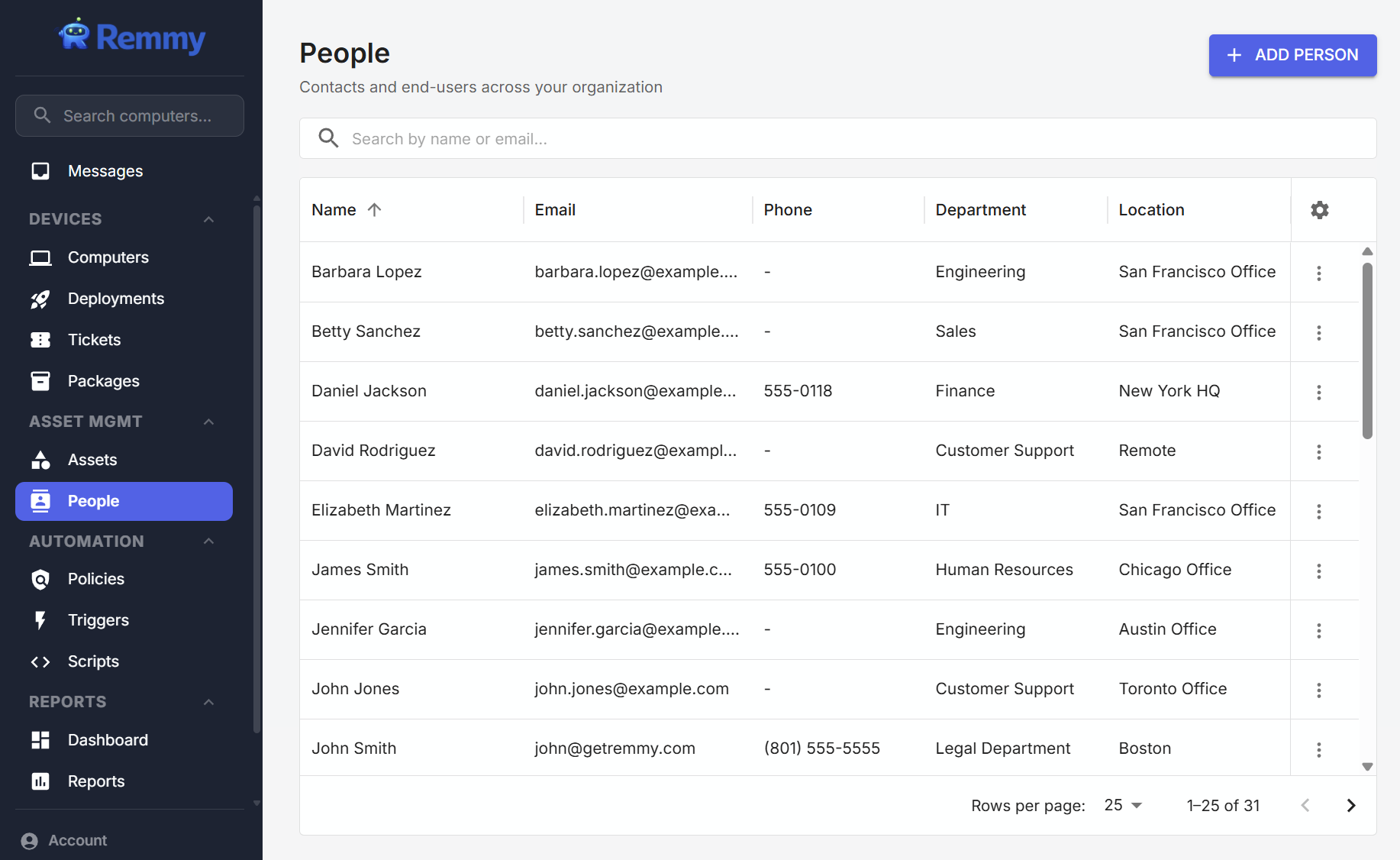
People are managed from the People page, which can be accessed by clicking on the People tab in the lefthand navigation bar.
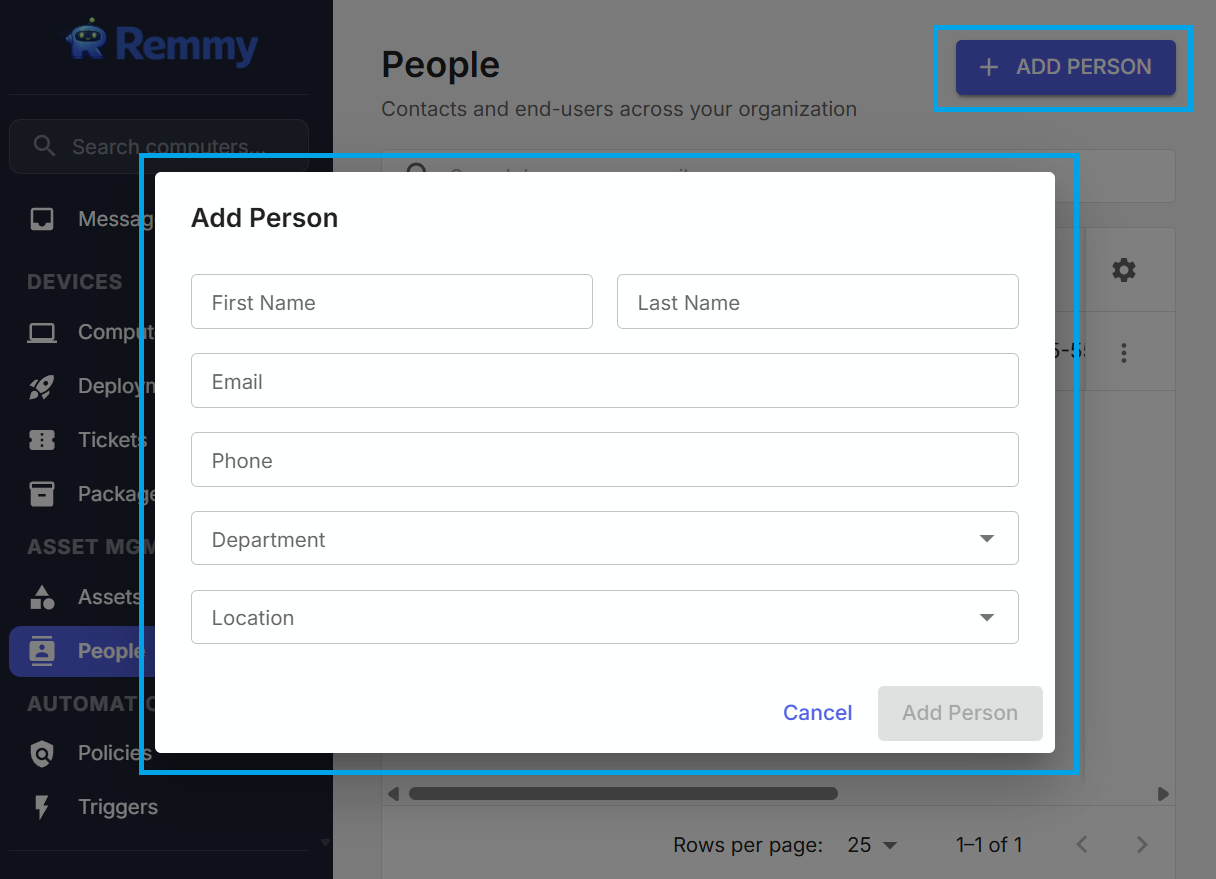
The People page shows all people that the IT team has created. Sysadmins can search for people, delete people, and create new people - all from the People page.
Adding people
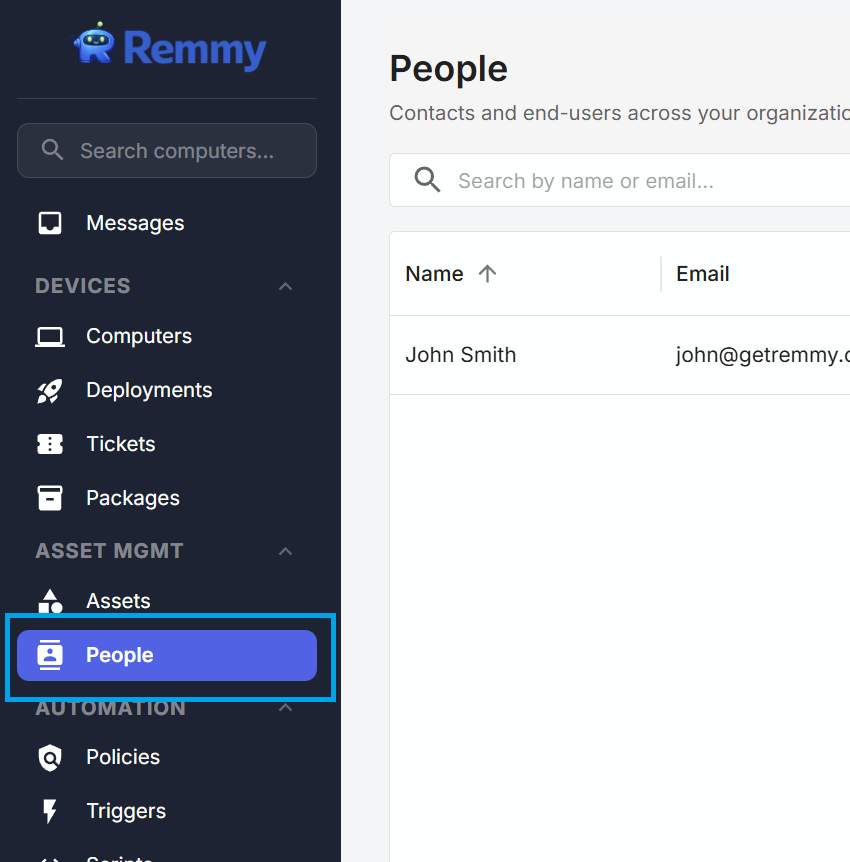
People are created manually by the IT team. To create a new person, navigate to the People page, and click the "ADD PERSON" button. When this button is pressed, a screen is shown that collects basic person information.
People can also be imported using a CSV import. To import people, click the Import button on the People page and following the CSV import instructions.
Editing people
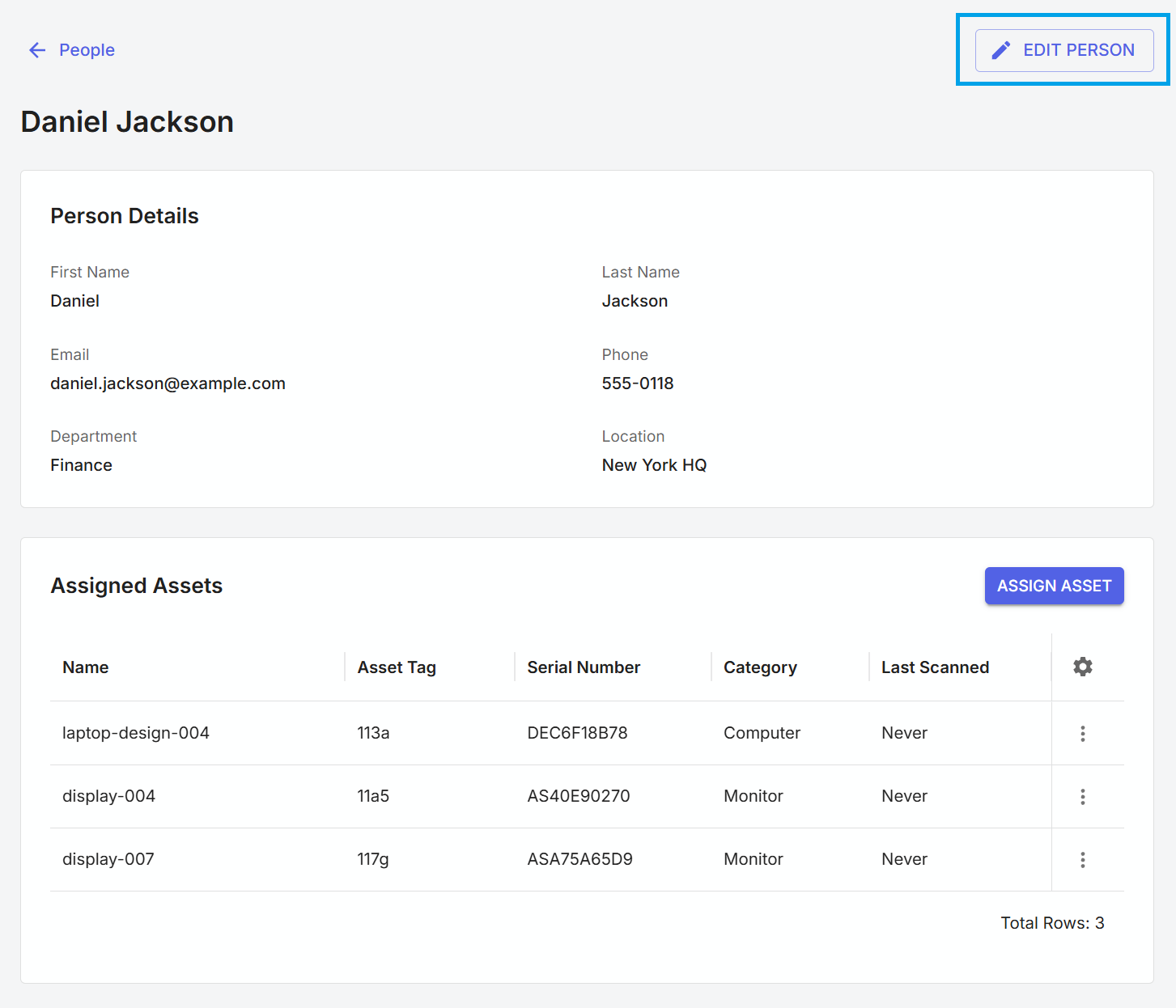
To edit a person, go to the people tab and click on the row of the person that needs to be edited. The view person screen shows all relevant person fields, and also displays a list of non-retired assets currently assigned to the individual person. To edit a person, press the edit button in the top right corner. Sysadmins can also assign or reassign assets to people by clicking the "ASSIGN ASSET" button while viewing a person.