
Reports
Reports
Updated March 15, 2026
Overview
Remmy comes with several out of the box reports, making it easy to share compliance and computer-level reporting. These reports include deployment history, compliance to policies over time, and more.
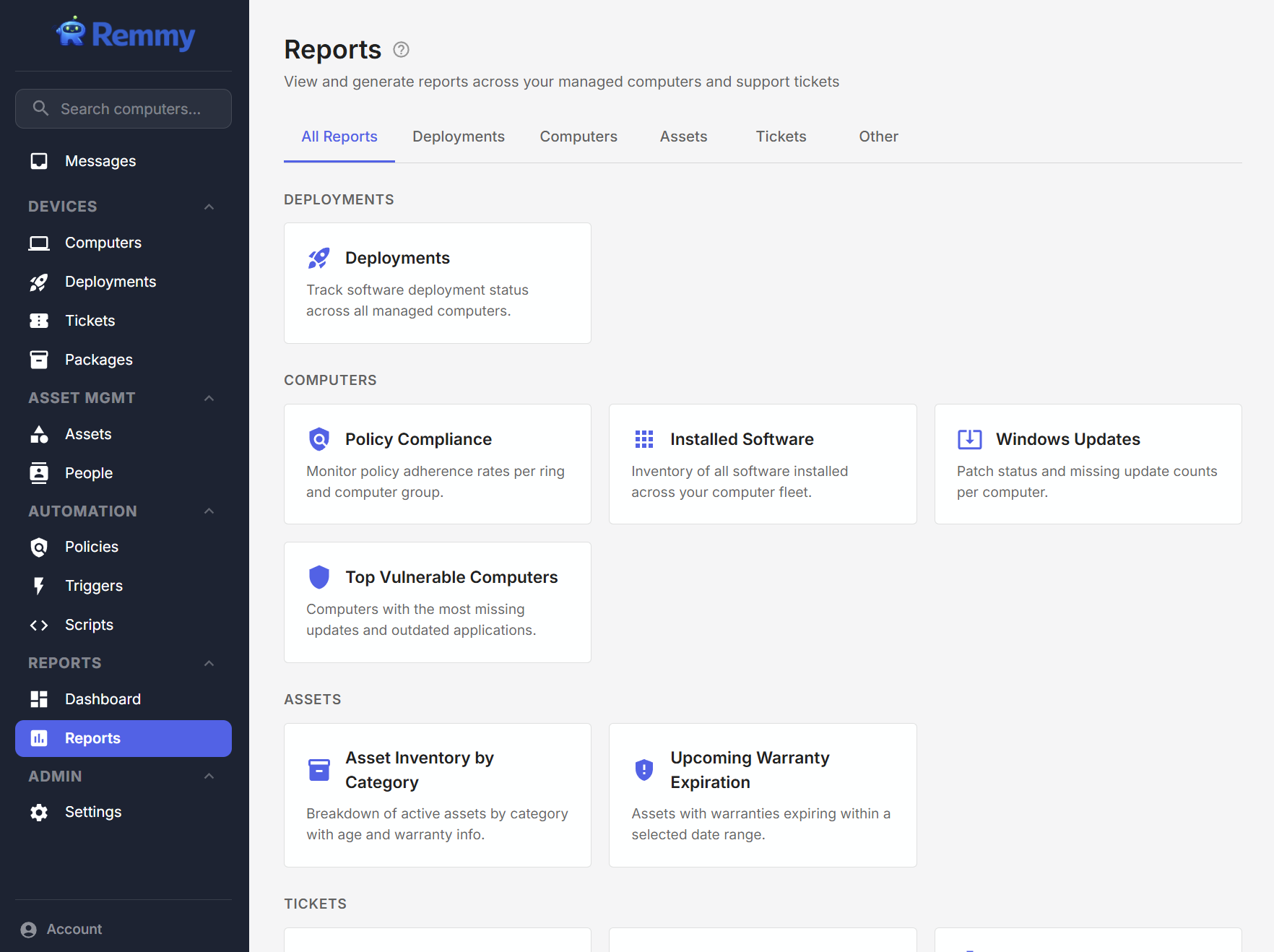
Deployment report
The Deployment report enables sysadmins to see a count of all deployments, and the associated success rate of deployments, over a set period of time. Users can adjust the date range, and how it is grouped (days, weeks, months). The report can be adjusted to show a stacked bar for success rate, and optionally downloaded as a CSV.
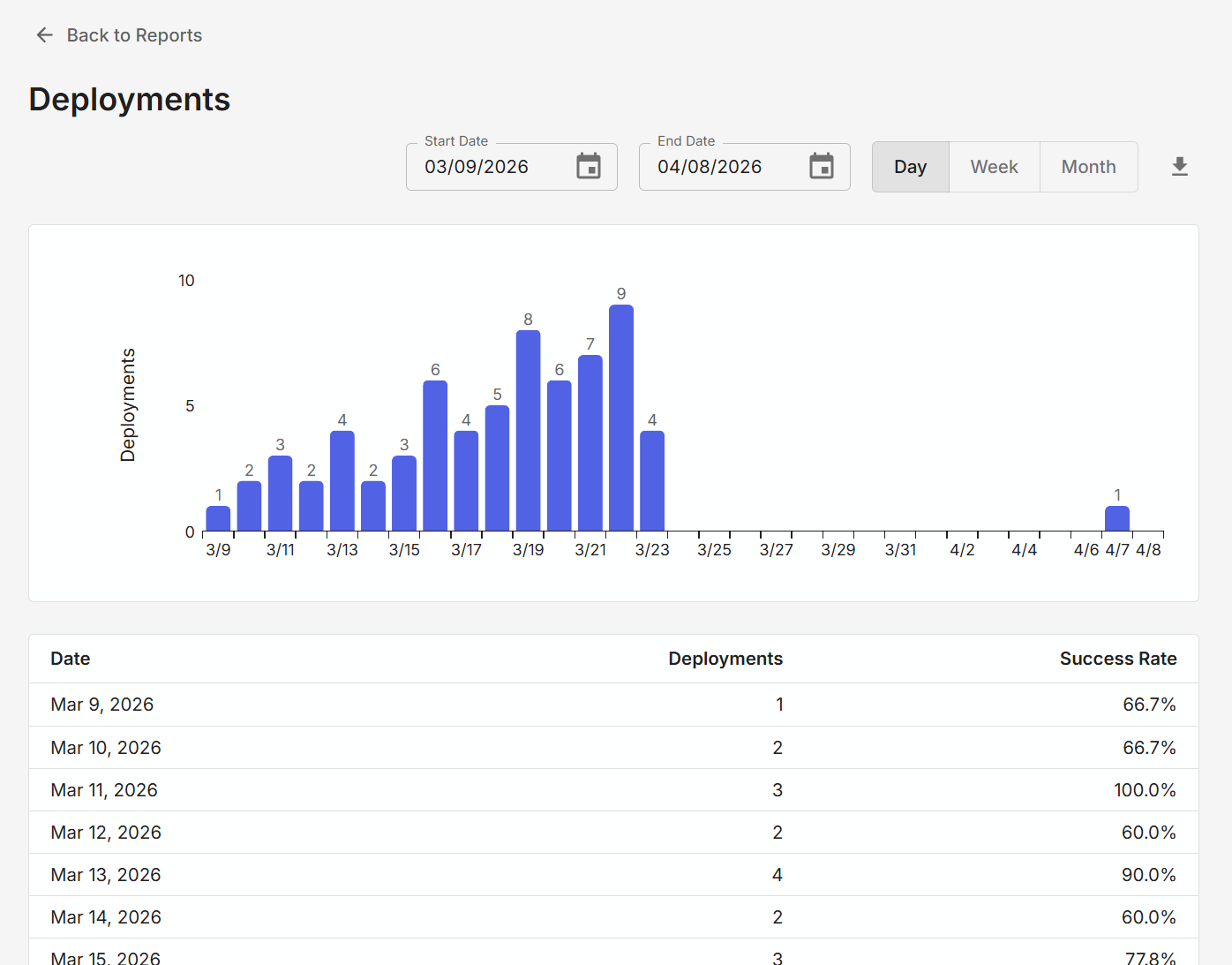
Policy compliance report
The Policy Compliance report shows the percent of policies that were compliant at the end of the time period. For example, if looking at it daily, it is the percentage of computers that were compliant at the end of the day. Users can adjust the date range, and how it is grouped (days, weeks, months). The report can be optionally downloaded as a CSV.
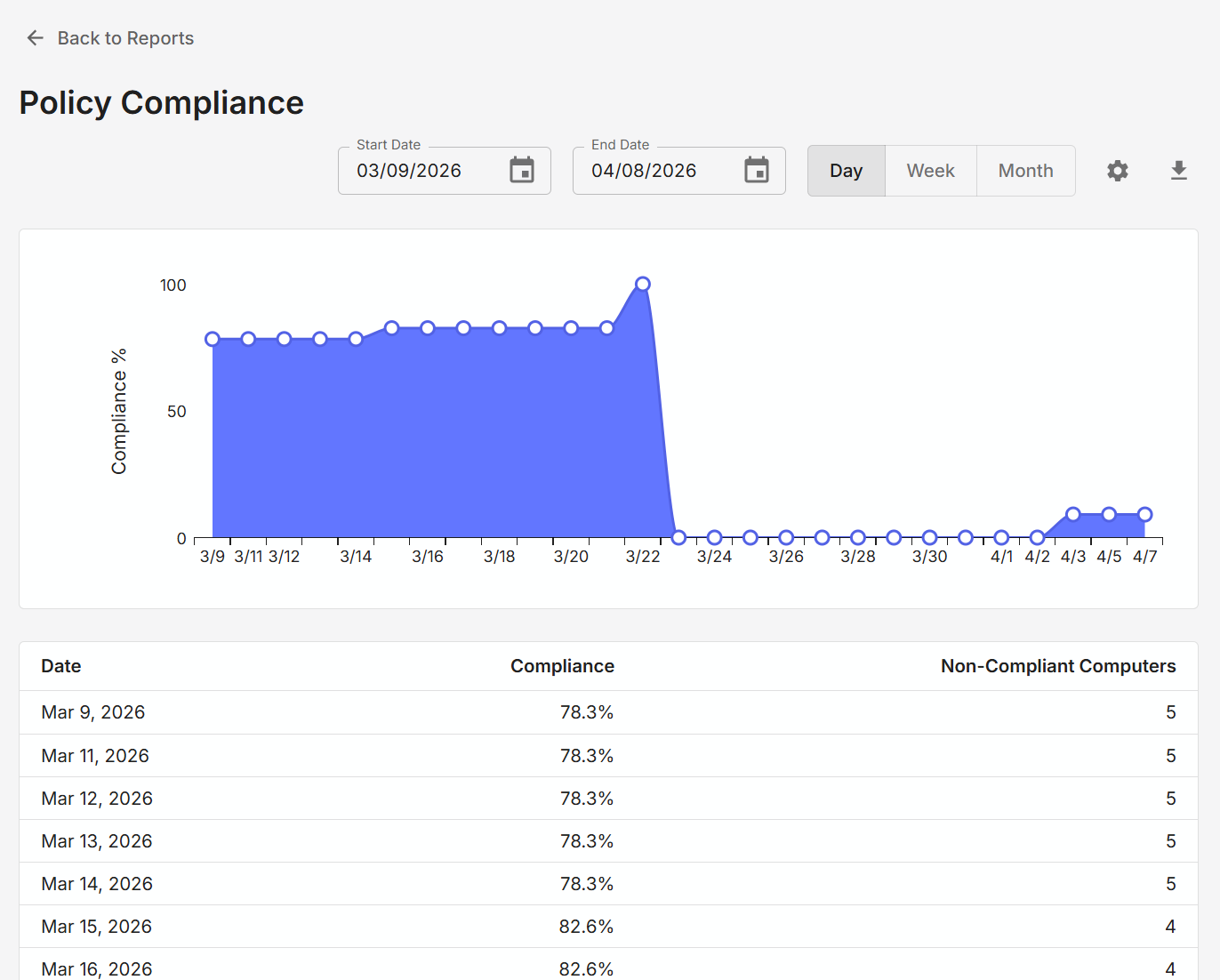
User activity report
The User Activity report shows the number of logged activities each user of Remmy takes during the selected time period. For example, if looking at the report daily, it is the number of actions each user took on that date. The report can be optionally downloaded as a CSV.
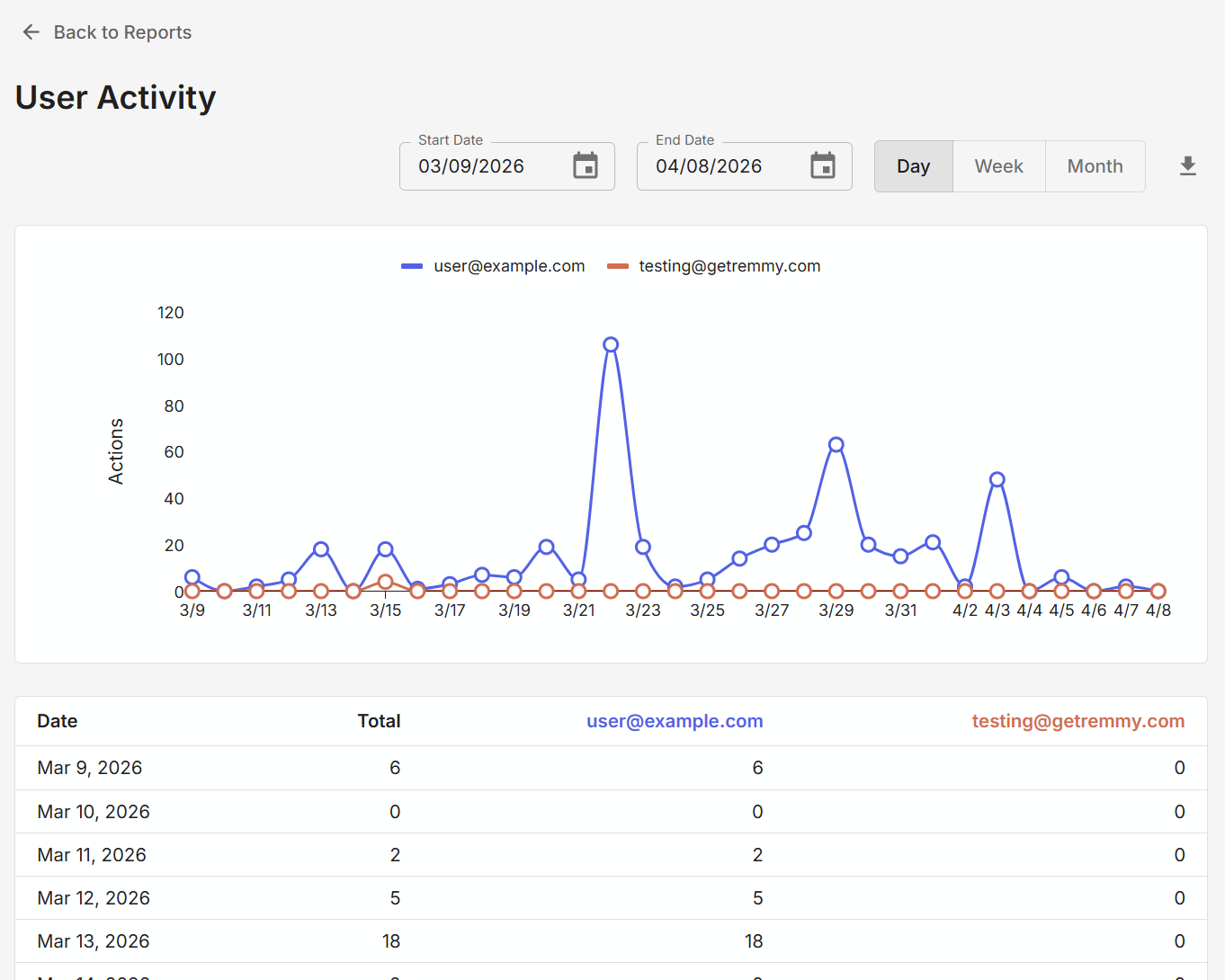
Installed software report
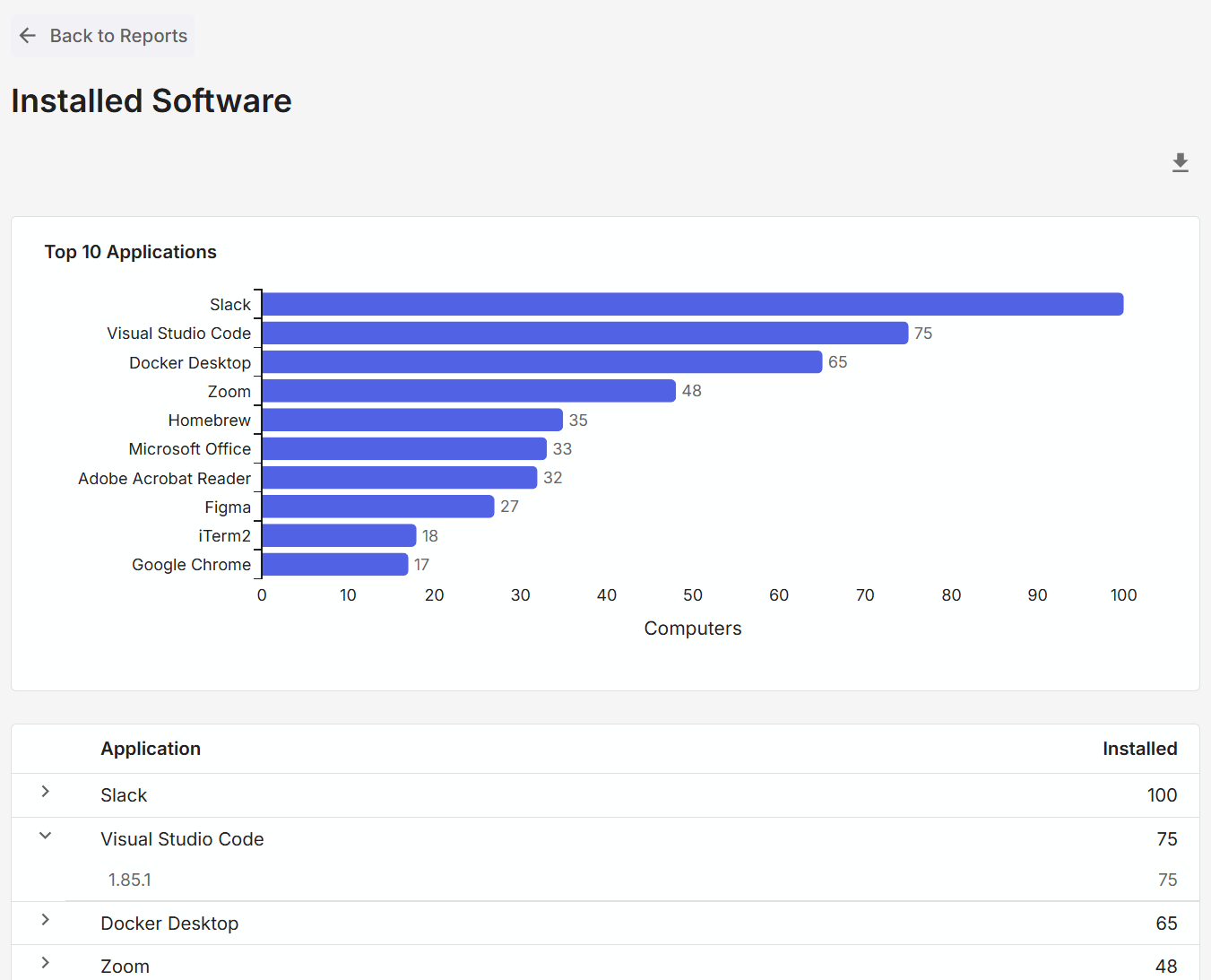
The Installed Software report shows the various applications installed on managed computers, and a count of computers for each application. Users can expand each row to see how many computers have specific versions of the software installed. Similar to other reports, this can be downloaded as a CSV.
Top Vulnerable Computers
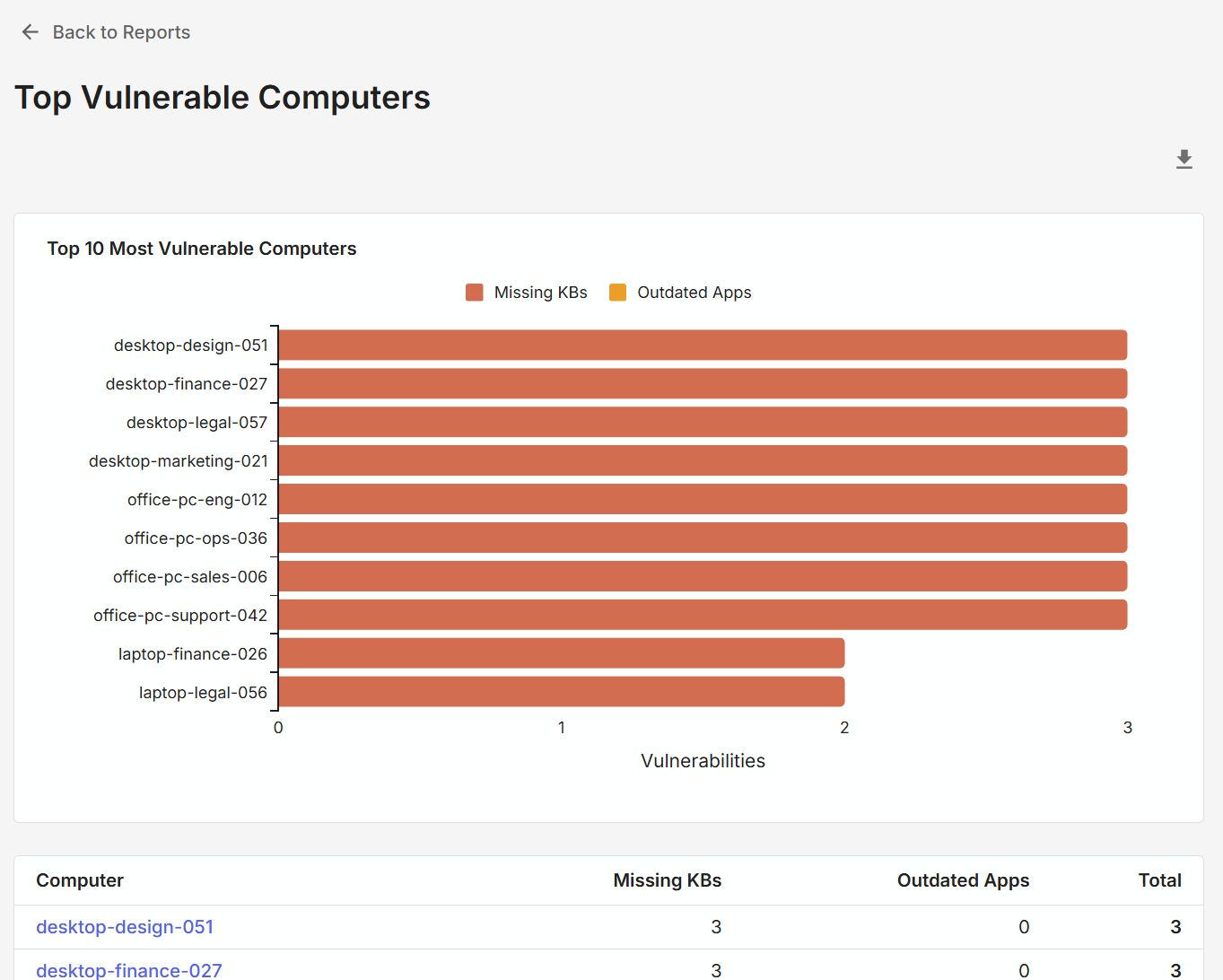
The Top Vulnerable Computers show the top most vulnerable computers in the enviornment, based on the number of missing Windows KBs, and the number of outdated applications. Similar to other reports, a sysadmin can export the report into excel. Because this is a current state report, there are no date filters.
Ticket reports
Remmy provides detailed reports on ticket creation and closure rates.
Asset reports
Remmy also provides detailed asset tracking reports, making it easy to see how assets are allocated.